
To transfer your account between Android devices, please link it to Google Play.
Current Device:
1.) Sign in to the Google Play account that you'd like to link with the game.
2.) Open the Menu from the Home screen, then select [Account Transfer] → [Link to Google Play].
3.) Double check the player name and rank displayed on the screen, then press [Link] if it is the correct account.
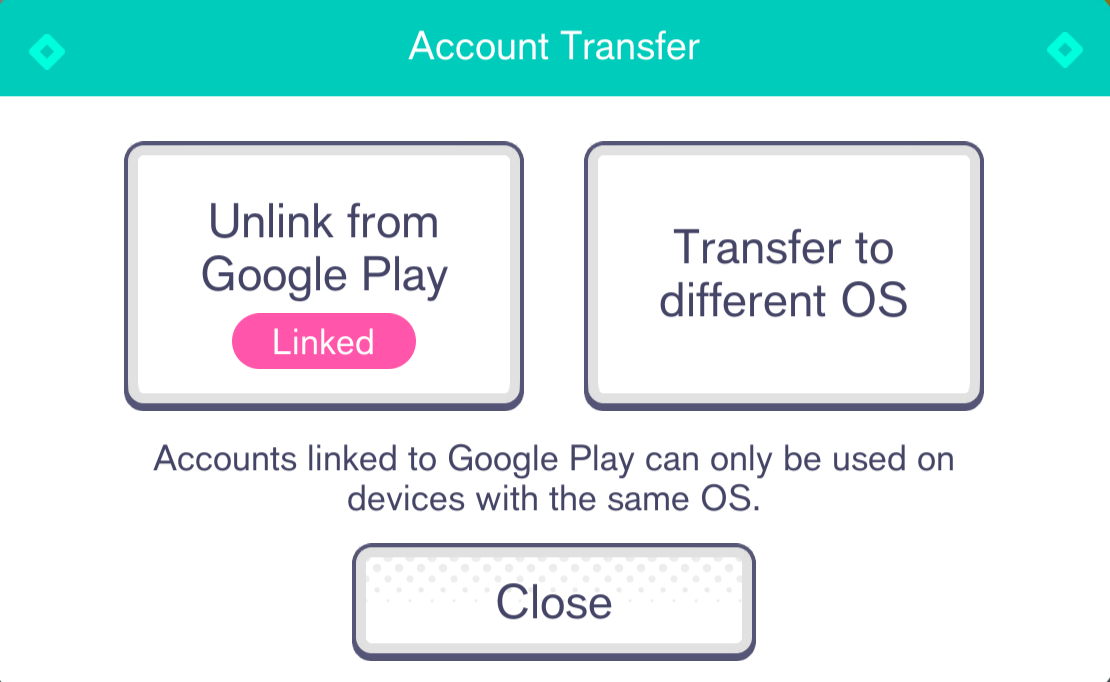
Once you've successfully linked your account, the [Link to Google Play] button will change to [Unlink from Google Play], and a pink "Linked" icon will be displayed over the button.
*Please note that the option to link to Google Play may not be available depending on your app settings.
New Device:
1.) Sign in to the same Google Play account that you linked with.
2.) On the title screen, open the Menu using the button on the upper right corner, then select [Account Transfer] → [Link to Google Play].
3.) Double check the player name and rank displayed on the screen, then press [Account Transfer] if it is the correct account.